
PayrollPro · Payroll & HR software for India
Payroll without the month-end scramble
Run payroll from attendance to salary slip, with Indian statutory deductions worked out for you every month.
PayrollPro keeps employees, attendance, leave, payroll and statutory reports in one place, so month-end stops being a spreadsheet exercise.
- PF, ESI, PT, LWF and TDS
- Salary slips and Form 16
- Attendance and leave
- Employee self-service
Already a customer? Sign in to PayrollPro
Set up
Add employees with their salary structure, tax regime and the statutory deductions that apply to each.
Run
Pull in attendance and leave, process the month, check every line, then mark the run as paid.
Report
Send salary slips, download the bank file, and give your accountant the PF, ESI and TDS totals.
What it does
Less month-end work, fewer payroll errors
Every employee, with their salary structure and deductions
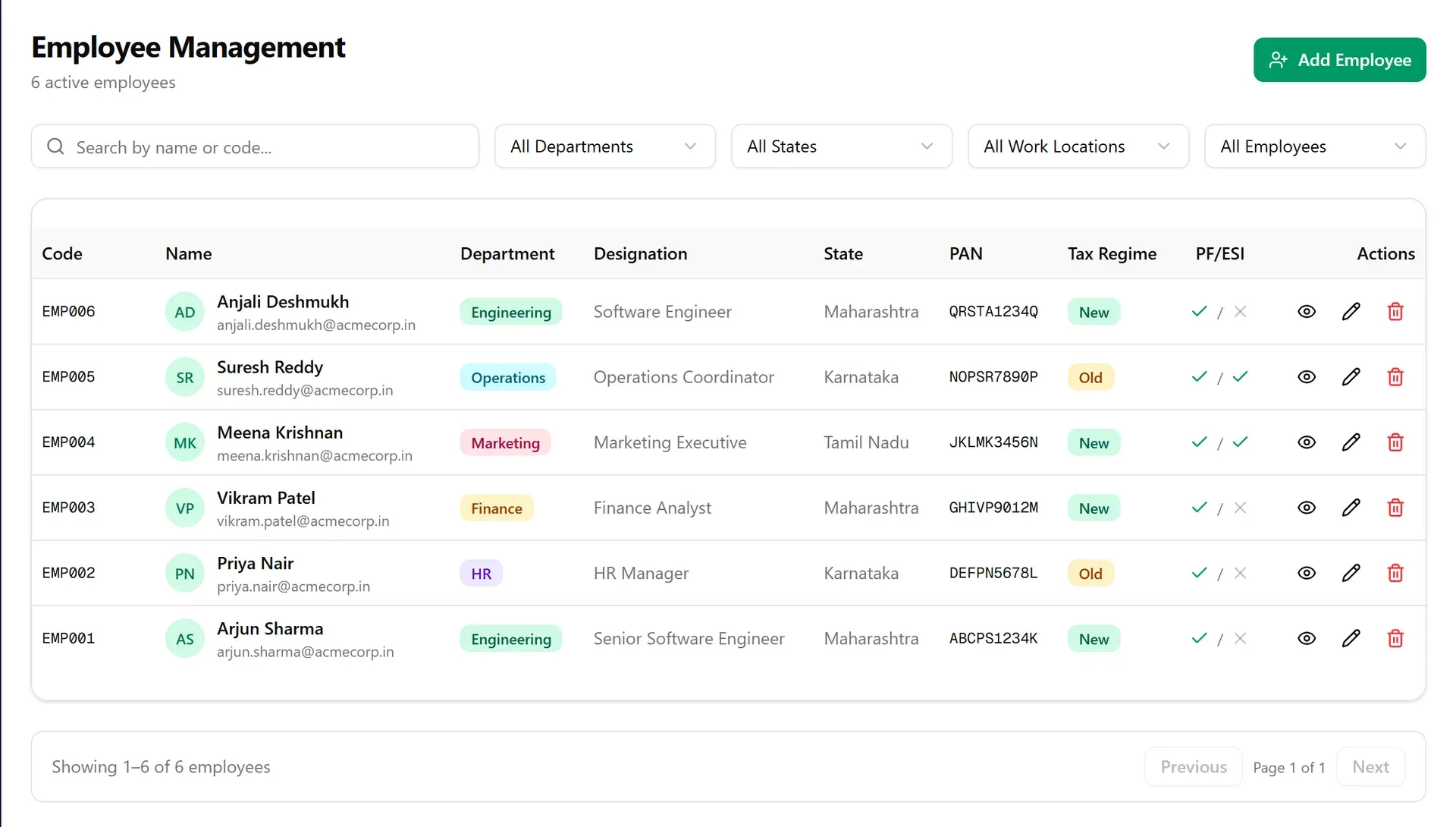
Keep employee records with department, designation, state, PAN and tax regime. Each person has their own salary structure and their own PF and ESI settings, and you can search and filter by department, state or work location.
- Employee codes assigned for you
- Old or new tax regime for each person
- PF and ESI applicability visible at a glance
- Filters by department, state and work location
A month's payroll in one run
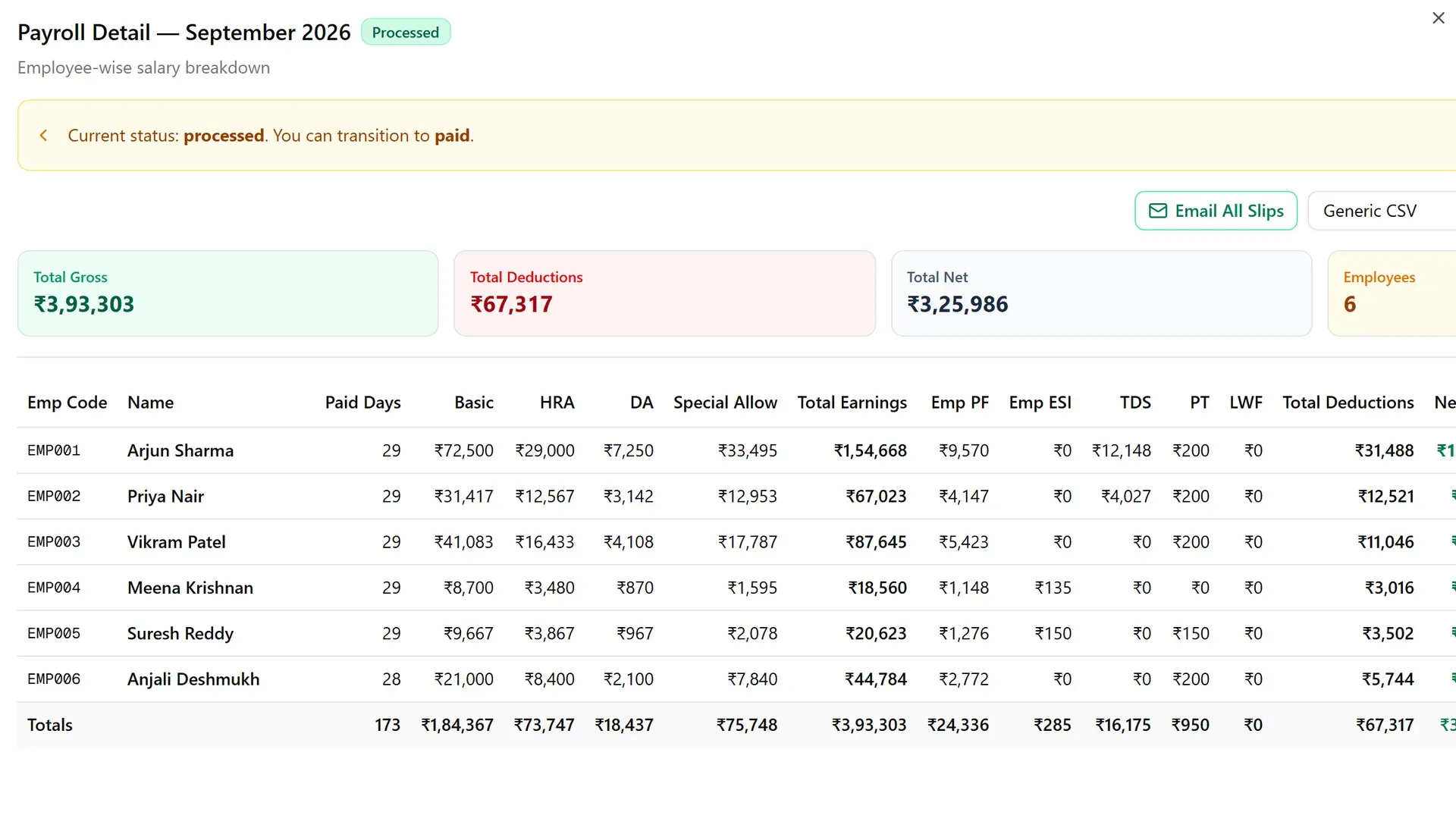
Process the month from attendance, look over each employee's earnings and deductions, then move the run from processed to paid. Arrears, off-cycle runs and emailing every salary slip are built in.
- Basic, HRA, DA and allowances, less PF, ESI, TDS, PT and LWF
- Run status from processed to paid
- Bank payment files in a choice of formats
- Arrears and off-cycle runs
Salary slips your team can read
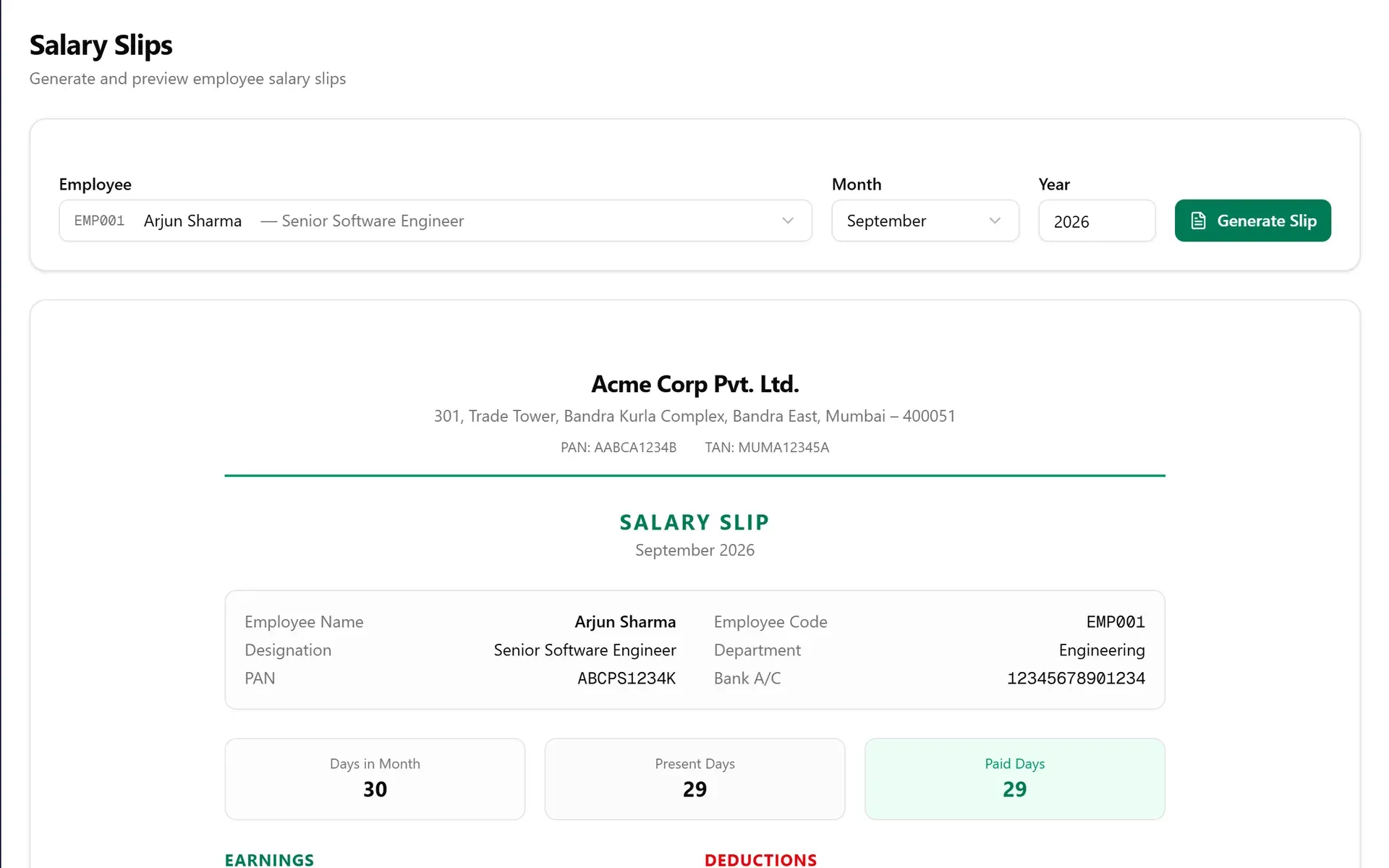
Each slip shows the company header, employee details, days paid, earnings and deductions on one page. Generate one for any employee and month, or email the whole run at once.
- Earnings and deductions itemised
- Paid days taken from attendance
- Emailed to employees from a payroll run
- Form 16 for the year
Leave and attendance, without the spreadsheet
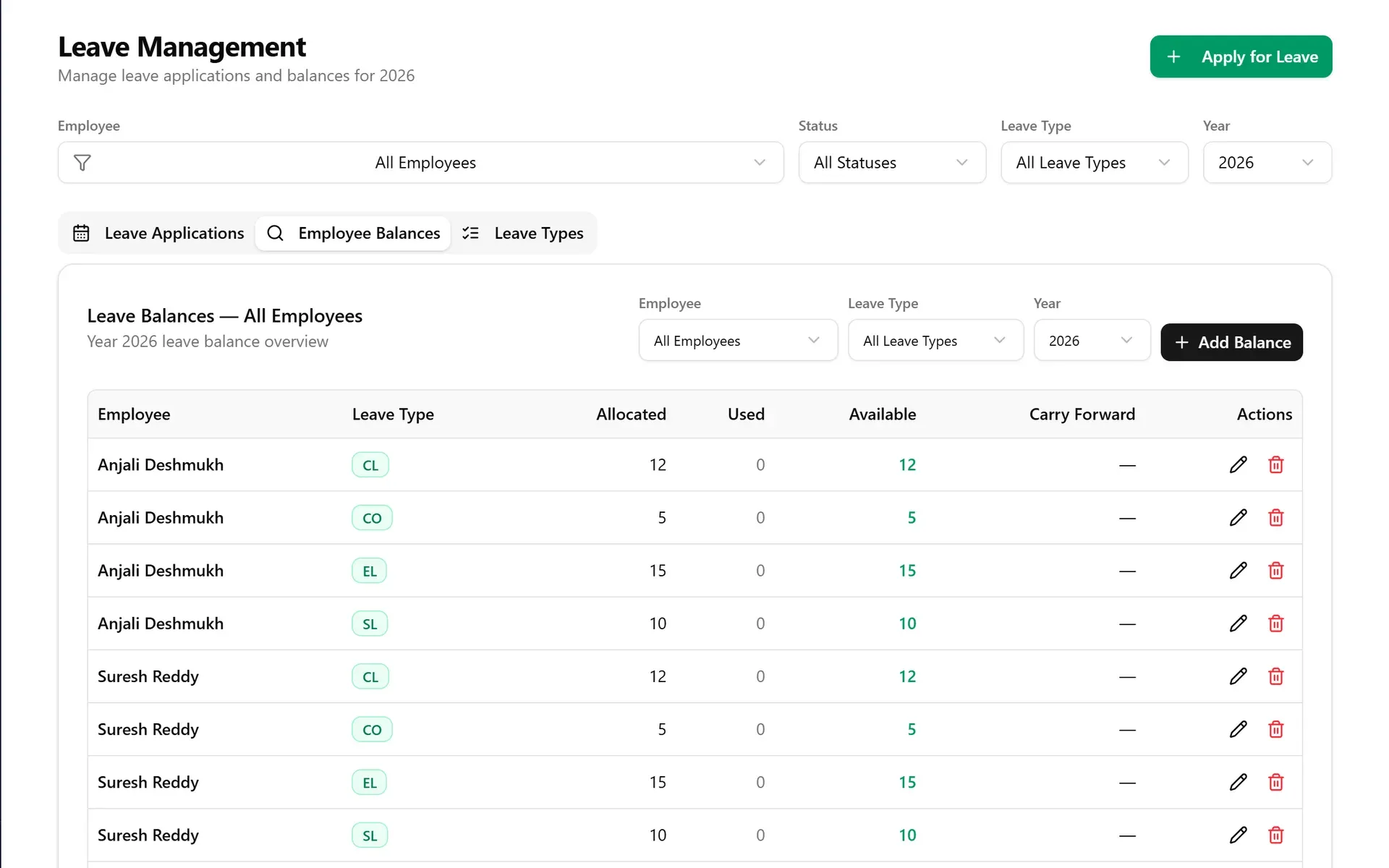
Employees apply for leave, managers approve it, and balances update. Leave types, yearly allocations and carry-forward are set once. Attendance records punch-in and punch-out, and correction requests wait for review by HR.
- Leave applications and approvals
- Balances for each employee and leave type
- Punch in and out, with correction requests
- Work-from-home requests
Compliance reports ready to hand over
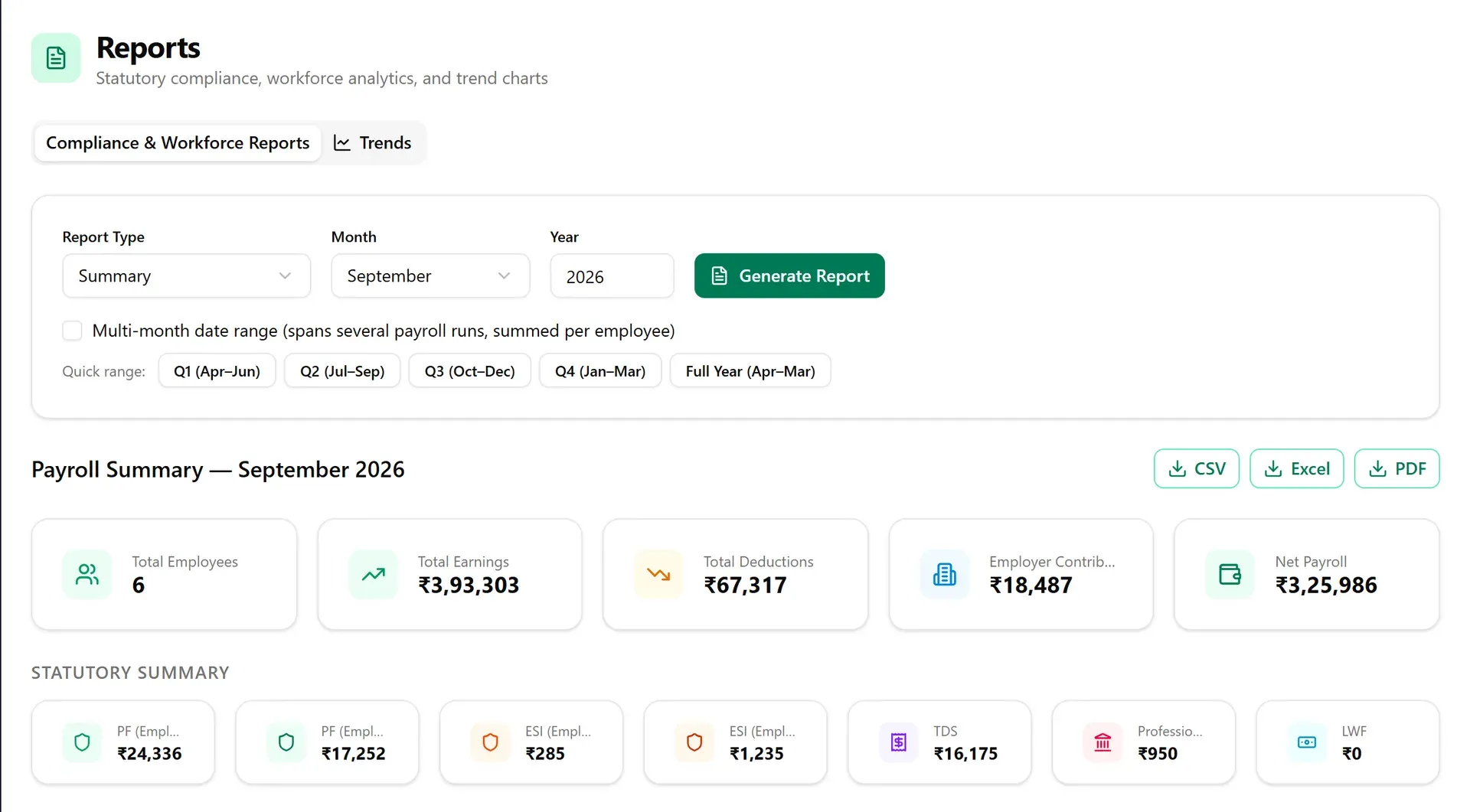
See PF, ESI, TDS, professional tax and LWF totals for any month, or add up a quarter or a whole financial year. Download the result as CSV, Excel or PDF.
- Payroll summary with a statutory section
- Quarter and financial-year ranges
- CSV, Excel and PDF downloads
- Workforce and trend charts
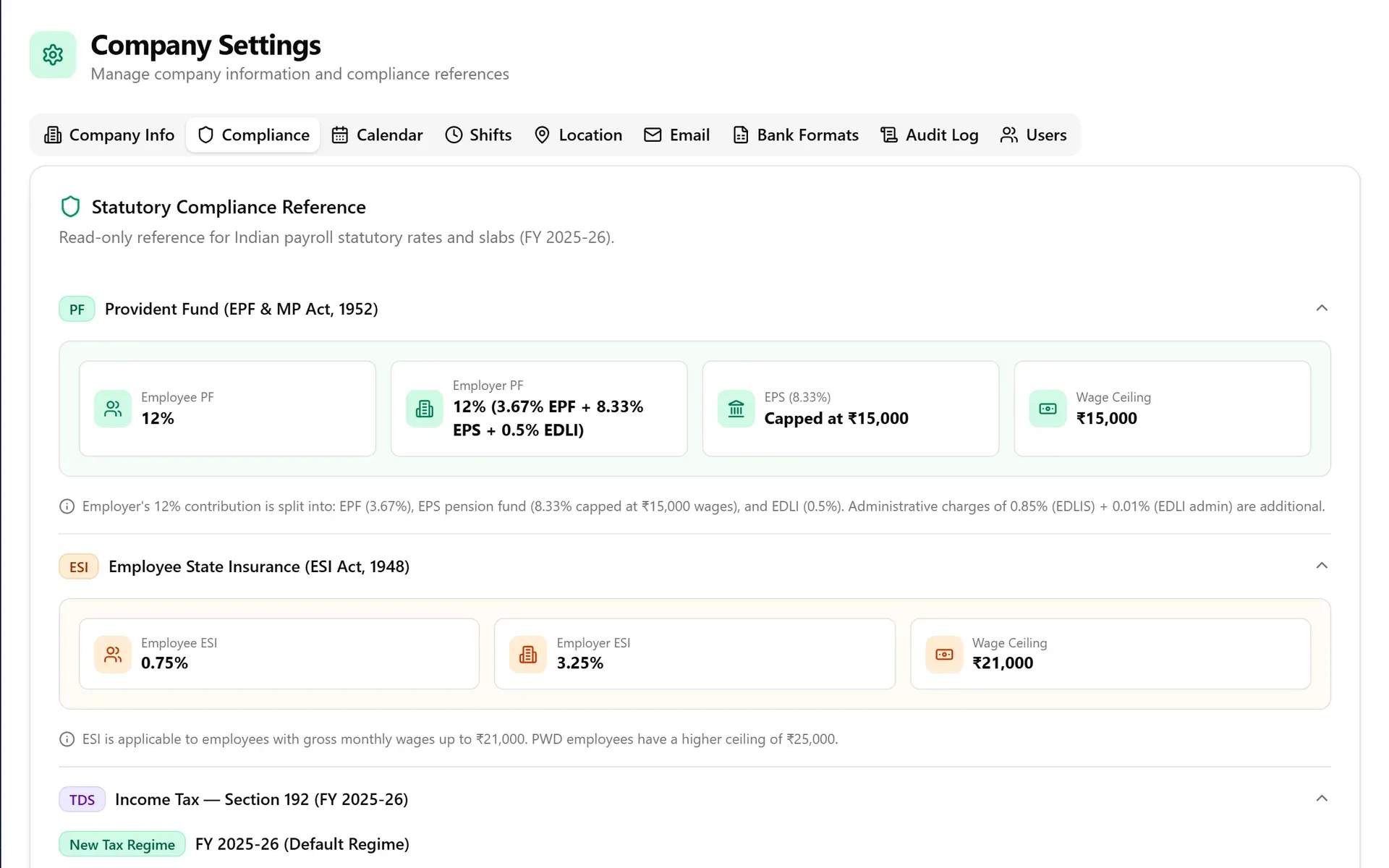
Statutory rules in plain view
PF with its EPF, EPS and EDLI split, ESI with its wage ceiling, and the income tax slabs for the financial year are shown in settings as a reference. The same area holds the company calendar, shifts, work locations, email, bank formats, the audit log and user roles.
- Rates and slabs for the current financial year
- Old and new tax regime
- Shifts, holidays and work locations
- Audit log and user roles
Everything in one place
From joining day to final settlement
Payroll sits next to the people records it depends on, so there is one employee list and one set of dates.
Employees
Records, salary structures, tax regime and statutory flags.
Onboarding
Invite new joiners to fill in their details and receive their letters.
Attendance
Punch records, shifts, work locations and correction requests.
Leave and work from home
Applications, approvals, balances and leave types.
Payroll runs
Monthly and off-cycle runs, arrears and bank files.
Salary slips and Form 16
Generated, previewed and emailed to employees.
Reports
Statutory and workforce reports, as CSV, Excel or PDF.
Assets
Track the laptops and equipment issued to each employee.
Exit management
Exit requests and the final settlement.
My Portal
Employees see their slips, leave, attendance and declarations.
Help desk
Employees raise questions and HR answers them in one place.
Settings and roles
Company details, calendar, email, users and an audit log.
Why PayrollPro
Built around how Indian payroll works
The rules that make payroll in India fiddly are the starting point here, not an add-on.
The statutory deductions
PF, ESI, professional tax, labour welfare fund and TDS on salary, each switched on per employee.
State by state
Employees are tied to a state, so professional tax and welfare fund follow where each person works.
Indian financial year
Reports use the April to March year and its quarters, and Form 16 is generated for the year.
Old and new tax regime
Choose the regime for each employee and TDS is worked out under it.
Rupees, the Indian way
Amounts appear in rupees with lakh and crore grouping, as your accountant expects.
Access by role
Payroll, salary slips and Form 16 are for admin and HR users. Managers and employees see only what their role allows.
Payroll rules change every year. Tell us how your company pays its people and we will show you how PayrollPro handles it.
Who it is for
For the people who run payroll, and the people who are paid
HR and payroll teams
Run the month without chasing spreadsheets: attendance, leave and salary structures feed one payroll run.
- One run for the whole company
- Slips emailed in a click
- Reports for your accountant
Employees and managers
People see their own slips, leave and attendance, and managers approve leave and work-from-home requests.
- Salary slips on demand
- Leave balances and applications
- Requests approved by managers
Questions
Questions people ask
Which deductions does PayrollPro work out?
Provident fund (employee and employer shares), ESI, professional tax, labour welfare fund and TDS on salary. Each can be switched on or off for each employee, and the old or new tax regime is chosen per person.
Can employees see their own salary slips?
Yes. Employees have their own portal for salary slips, leave, attendance and tax declarations. You can also email a run's slips to everyone at once.
Can I download reports and bank files?
Yes. Statutory and workforce reports download as CSV, Excel or PDF, and bank payment files can be produced in the format your bank asks for.
Who can see salary information?
Payroll runs, salary slips and Form 16 are limited to admin and HR users. Access is by role, and an audit log records what people do.
How much does it cost, and can I try it?
Pricing depends on the size of your team. Contact us and we will send a quote, or book a demo to see it with your own questions.
More from Aviin Tech
AVIIN ATS
AI-powered workforce platform
AVIIN ATS brings CV intake, applicant management, AI screening, interview scheduling, client management, workforce operations and analytics into one platform. Built by Aviin Tech and shaped by real day-to-day workflows, it helps agencies and in-house HR teams cut manual work, make better decisions and move people from application to placement faster.
FinStack ERP
Accounting and GST for India
FinStack ERP brings GST invoicing, accounts, payroll and HR into one system for Indian businesses. Invoices follow CGST, SGST and IGST rules, payroll handles PF, ESI, professional tax and TDS, and the ledger, statements and GST reports draw on the same entries.
See PayrollPro run your payroll.
Book a demo and tell us how many people you pay and in which states. We will show you a run from attendance to salary slip.